
Interactive Visuals for High Engagement Rates: Tips for Using Zoom, Spin Views, and More
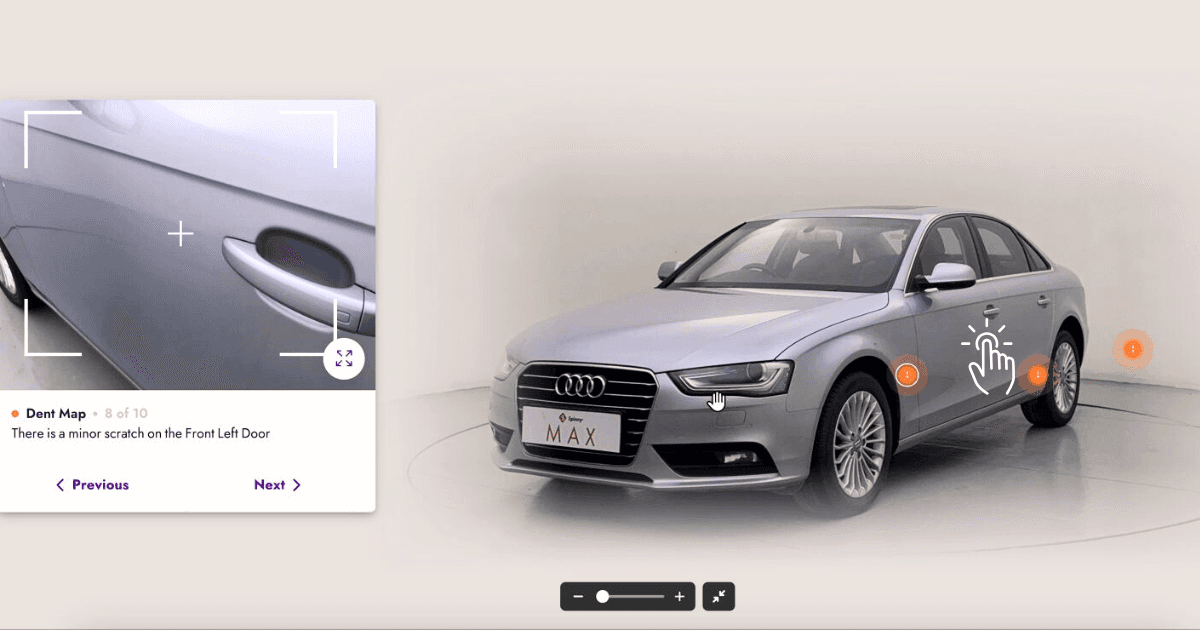
Interactive visuals on a car listing are features the buyer operates themselves: zoom on high-resolution stills, a 360° spin they rotate, clickable hotspots on individual features, and interior views. They hold attention on the listing because the buyer is doing something rather than scrolling.
Key takeaways
- Interactive features give a buyer a reason to stay on the listing.
- Zoom, spin and hotspots each answer a different question a still cannot.
- Interactive media must load fast on a phone or it costs more than it gains.
- One capture can feed the stills, the spin and the tour without a re-shoot.
Why do interactive visuals matter?
Static car photos are no longer enough to engage today’s tech-savvy buyers. Interactive visuals offer a more immersive and dynamic experience, allowing buyers to explore a car as if they were viewing it in person. Here’s why they’re essential:
- Enhance Buyer Confidence: Provide a detailed, close-up look at a car’s features, giving buyers a clearer understanding of what they’re purchasing.
- Increase Time on Page: Interactive elements encourage users to spend more time exploring the listing.
- Improve Conversion Rates: A more engaging browsing experience can lead to more inquiries, test drive bookings, or purchases.
Which interactive features should a listing include?
What does zoom add to a listing?
 Zoom allows buyers to take a closer look at key details, such as the car’s upholstery, infotainment system, or tire treads.
- Tips for Effective Zoom Features:
- Use high-resolution images so details remain sharp when zoomed in.
- Highlight specific areas like logos, dashboard displays, or premium finishes.
What is a 360° spin view?
A 360° spin view lets buyers rotate the car to see it from every angle, including the front, back, sides, and top.
- How to Implement:
- Capture the car from multiple angles. A guided walkaround on a smartphone is enough; a dedicated 360 camera is optional.
- Why It Works: It mimics the experience of walking around the car, giving buyers a comprehensive understanding of its design and condition.
What is an interior walkthrough?
An interactive interior walkthrough allows buyers to “step inside” the car virtually and explore features like the dashboard, seating, and cargo space.
- Key Features to Highlight:
- Infotainment systems, steering wheel controls, seat materials, and legroom.
- Add clickable hotspots to describe unique features, such as heated seats or advanced safety systems.
What are clickable hotspots?
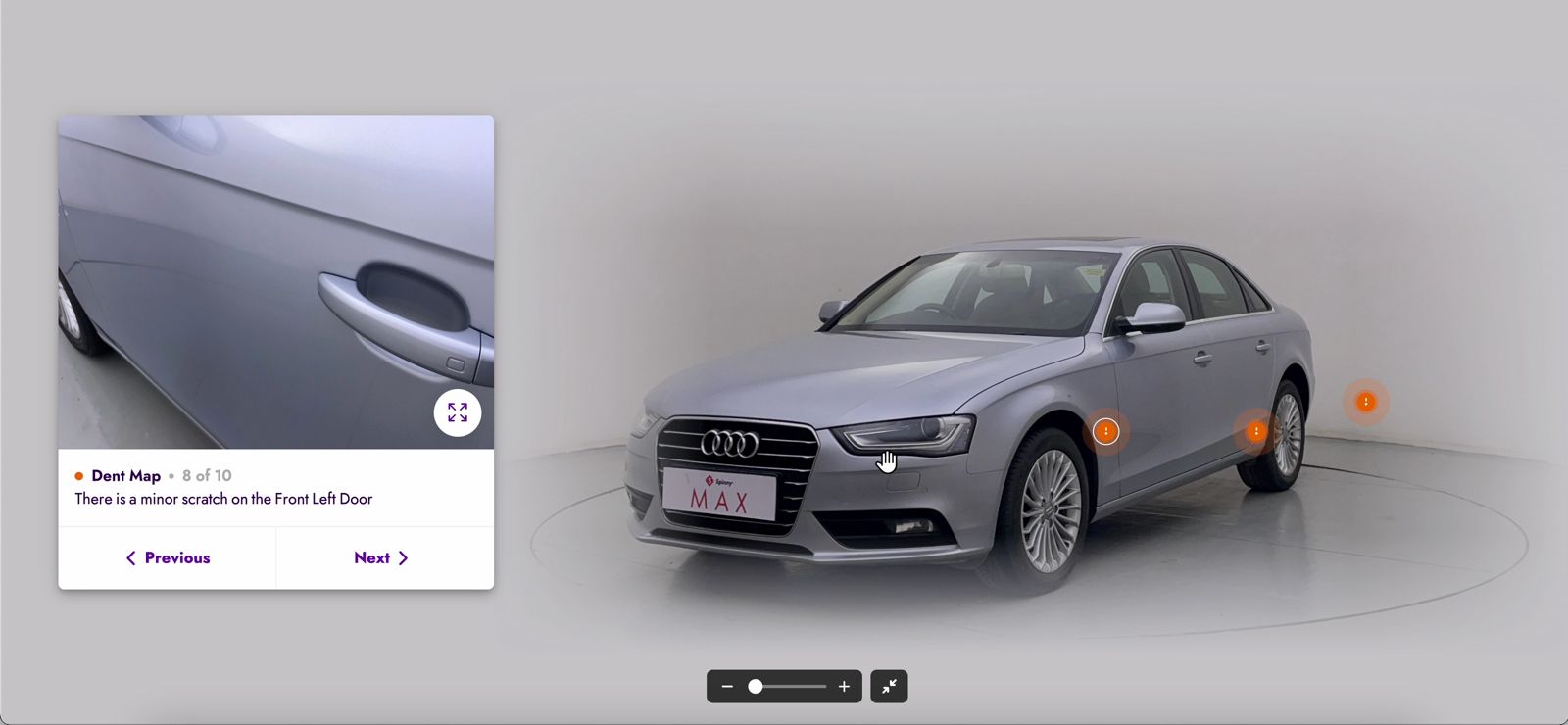 Hotspots are small, interactive markers that provide additional information when clicked.
- Examples of Hotspot Usage:
- Highlighting trunk space by showing dimensions or capacity.
- Explaining the benefits of advanced safety features like adaptive cruise control or lane assist.
- Detailing upgrades like alloy wheels or panoramic sunroofs.
How should a swipeable gallery work?
Swipeable image galleries let buyers quickly browse through multiple photos of the car, including different angles and close-ups.
- Tips for Swipe Galleries:
- Use a logical flow, starting with exterior views, then moving to interior details.
- Ensure images load quickly and are mobile-friendly.
How do you optimise interactive visuals?
How sharp do interactive images need to be?
Interactive elements like zoom or spin views require clear, high-resolution images to deliver a professional experience. Blurry or pixelated visuals can frustrate users and harm your credibility.
How do you make interactive visuals work on mobile?
With most buyers browsing on mobile devices, your interactive visuals must work seamlessly on smaller screens. Use responsive design to ensure smooth performance on smartphones and tablets.
How fast should interactive visuals load?
Interactive visuals can increase page load times if not optimized. Compress images and use lazy loading to ensure the page remains fast and user-friendly. HelloRamp.ai can handle compression without sacrificing quality.
Why does consistency matter across listings?
Ensure that all visuals across your listings have a consistent style, background, and quality. This creates a cohesive and professional look that builds buyer trust.
Where should the call to action sit?
Interactive visuals should encourage action. Add call-to-action buttons like “Schedule a Test Drive,” “Contact Us for More Info,” or “View More Details” near the visuals to guide buyers toward the next step.
What are the most common interactive-visual mistakes?
- Overloading the Page: Too many interactive elements can overwhelm buyers and slow down your website. Use them strategically.
- Ignoring Mobile Users: Interactive visuals that don’t function well on mobile will alienate a large portion of your audience.
- Skipping Testing: Always test your visuals for functionality, speed, and compatibility before publishing.
- Overediting: Keep visuals realistic to maintain transparency and build trust.
Conclusion
Interactive visuals like zoom functionality, 360° spin views, and interior walkthroughs are game-changers for car listings. They grab attention, increase time on page, and provide buyers with the detailed information they need to make confident decisions.
Frequently asked questions
What are interactive visuals for car listings?
Features the buyer controls: zoom on high-resolution images, a 360° spin they rotate themselves, tappable hotspots that explain individual features, and interior views they can move around in.
Do interactive visuals improve car listing engagement?
They are built to, by giving buyers something to operate rather than scroll past. Measure time on listing and enquiry rate on your own inventory rather than relying on a generic figure.
What is a hotspot on a car listing image?
A tappable marker placed on a specific part of the vehicle. Tapping it shows a short explanation, so a buyer can ask "what is that" about a feature and get an answer without leaving the listing.
Do interactive visuals slow down a listing page?
They can, if the media is not optimised. Compress and lazy-load interactive assets, and load the lead still first, so the page is usable before the spin has finished downloading.
HelloRamp Studio guides the walkaround, corrects the lighting and backgrounds, and produces the listing stills, the 360° spin and the video tour from one five-minute capture on a phone. No booth, rig or dedicated photographer.