
Enhancing Customer Experience with Virtual 360° Tours: Boosting Engagement and Sales
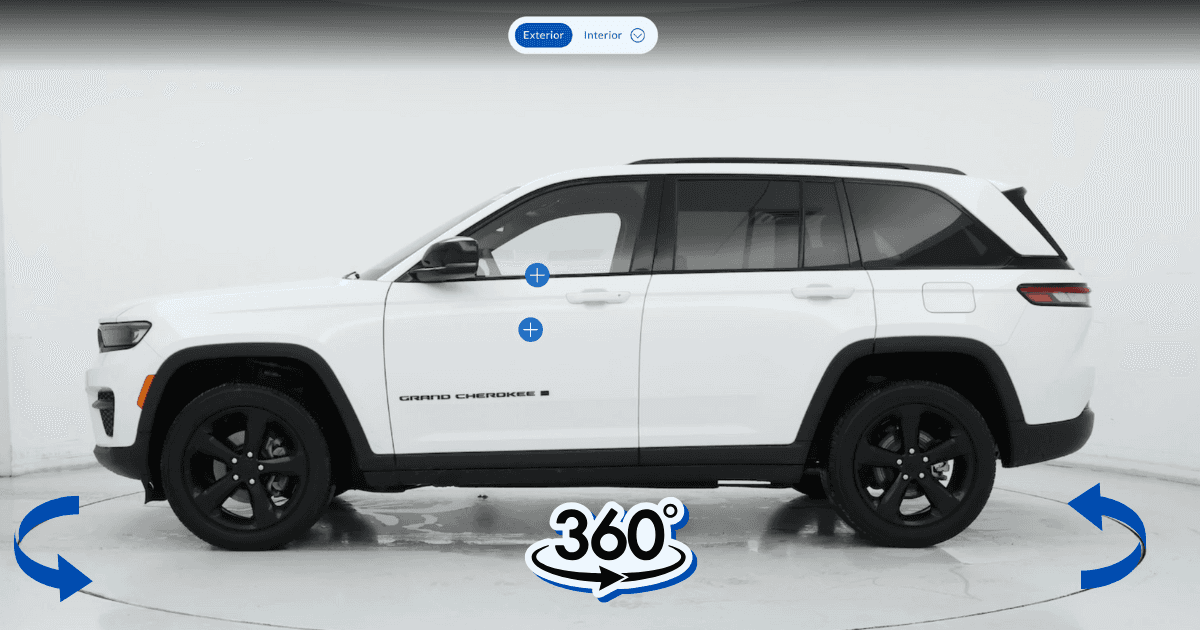
A virtual 360° tour is an interactive view of a vehicle that a buyer controls: they rotate the car, zoom in on details, move into the cabin and tap hotspots on individual features. It gives an online shopper the inspection they would otherwise have to visit the lot to do.
Key takeaways
- A 360° tour replaces the inspection step a buyer cannot do online.
- Interior views and tappable hotspots are what separate a tour from a spinning image.
- Tours hold attention on the listing longer than a gallery of stills.
- One guided capture can produce the stills, the spin and the tour together.
What is a virtual 360° tour?
A virtual 360° tour allows potential buyers to explore a car’s interior and exterior in a fully interactive way. Users can rotate the view, zoom in on details, and navigate around the vehicle as if they were physically present. These tours replicate the in-person experience online, making them a powerful tool for digital car sales.
What are the benefits of virtual 360° tours?
How do 360° tours affect engagement?
- Interactive experiences grab attention and keep users on your website longer.
- Potential buyers can examine every detail of the car, increasing their confidence in the purchase.
How do 360° tours build transparency?
- Buyers can view cars in great detail, from the dashboard and upholstery to the trunk and wheels, ensuring there are no surprises when they visit in person.
Do 360° tours widen a dealership’s reach?
- Virtual tours allow you to engage remote buyers who may not be able to visit the dealership.
- Ideal for attracting out-of-state or international customers.
Do 360° tours generate more leads?
- Customers exploring virtual tours are more likely to convert into serious leads, as they’ve already interacted extensively with the vehicle.
How do 360° tours set a dealership apart?
- Offering cutting-edge technology like virtual tours helps your dealership stand out in a crowded market.
- Buyers perceive your dealership as more professional and customer-focused.
Which features should a 360° tour include?
To maximize the impact of your 360° tours, focus on these essential elements:
- Interior Views: Allow buyers to explore the cabin, dashboard, infotainment system, and seating details.
- Exterior Walkarounds: Showcase the car’s design, paint finish, and key features like wheels and lights.
- Zoom Functionality: Enable users to zoom in on details like stitching, controls, or tire treads.
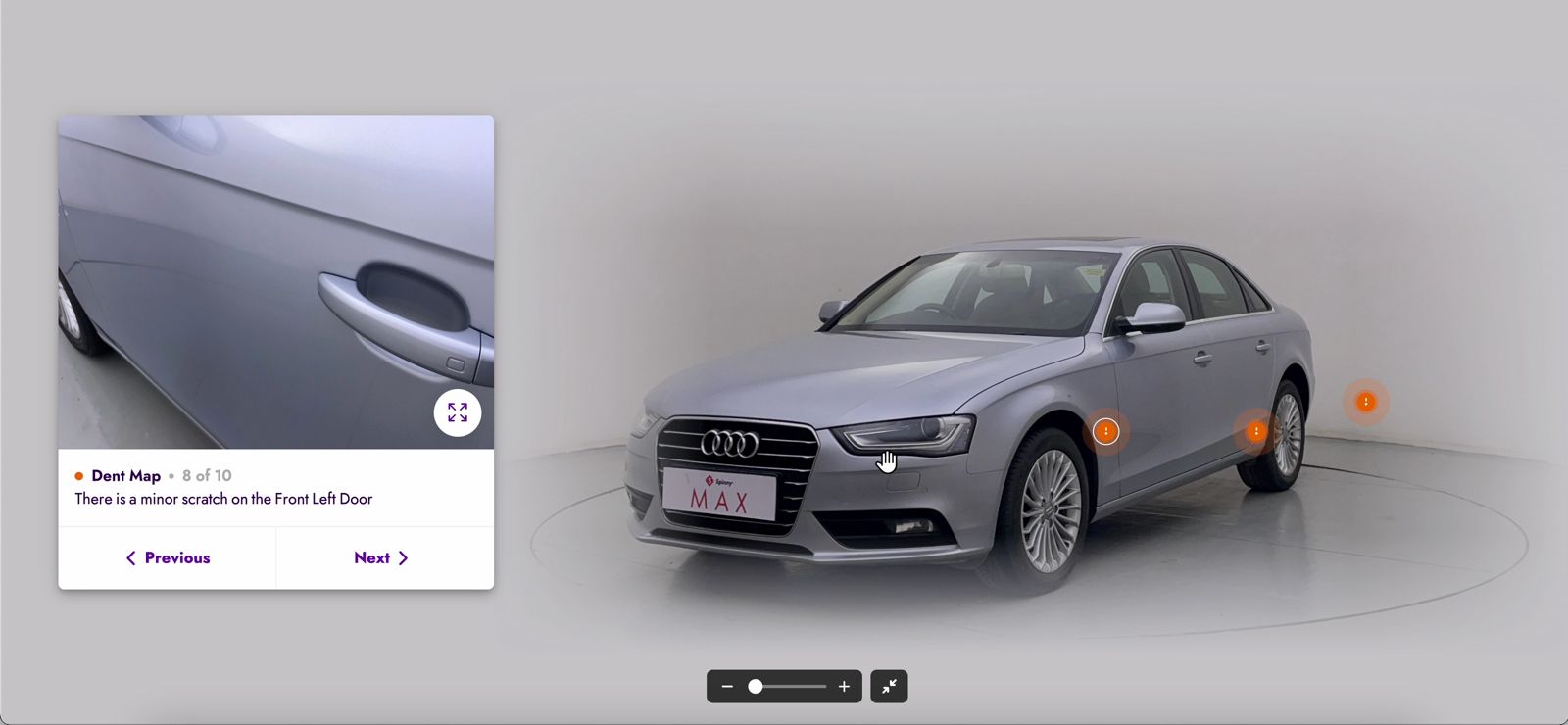
- Hotspots: Add clickable areas with information about unique features, such as heated seats, cargo space, or safety technologies.
- Mobile Compatibility: Ensure tours are optimized for mobile users, as many buyers browse on their smartphones.
How do you set up a virtual 360° tour?
1. Choose how you will capture
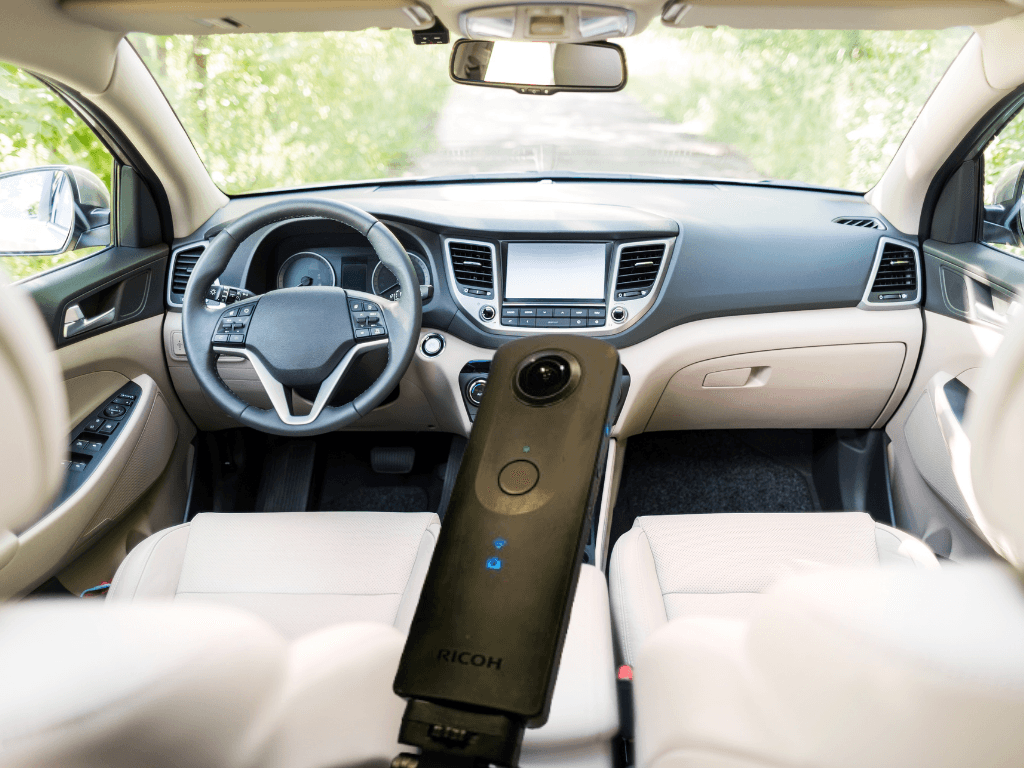
A smartphone with guided capture is enough for the exterior walkaround and the cabin. A dedicated 360 camera is optional rather than required:
- Smartphone with guided capture: The app prompts each angle, so the set is consistent whoever shoots it. This is the default.
- Tripod or Stabilizer: Ensures steady shots for a polished, professional look.
- Lighting Equipment: Use natural or studio lighting to avoid shadows and ensure even illumination.
How do you capture the images?
- Take clear, high-resolution images to ensure a seamless and immersive experience.
- Avoid cluttered backgrounds or reflections, especially in glossy surfaces like windows or paint.
What should you look for in tour software?
Choose a platform on what it does for a dealership workflow rather than on feature count:
- Guided capture: The app should prompt each angle, so any staff member produces the same set.
- Automatic processing: Backgrounds, lighting and plate masking handled without a manual editing pass.
- Inventory integration: Tours should publish straight to your VDP and marketplaces from your existing vehicle records.
- HelloRamp Studio does all three from one five-minute smartphone walkaround, with a trained reviewer checking every asset before it publishes.
How do you make a tour work on every device?
Ensure your virtual tours are responsive and load quickly on desktops, tablets, and smartphones.
- Compress files without compromising quality to improve loading times.
- Test the tours on multiple devices to check for functionality and user experience.
Where do branding and CTAs belong in a tour?
- Include your dealership’s logo to maintain brand consistency.
- Add CTAs like “Schedule a Test Drive” or “Contact Us for Pricing” to guide users to the next step.
What are the best practices for 360° tours?
- Highlight Unique Features: Use hotspots to draw attention to special features like panoramic sunroofs, premium sound systems, or custom interiors.
- Keep It Realistic: Avoid over editing or making the car look different from its actual condition to maintain trust.
- Promote Your Tours: Share virtual tours on social media, email campaigns, and marketplaces like Cars.com to attract more viewers.
Conclusion
Virtual 360° tours are transforming the car-buying experience by offering buyers an immersive way to explore vehicles online. By enhancing transparency, increasing engagement, and expanding your reach, these tours can help your dealership stand out in a competitive market. Invest in this innovative technology to create a memorable and impactful customer experience that drives sales.
Frequently asked questions
What is a virtual 360 degree car tour?
An interactive view of a vehicle that the buyer controls. They rotate the car through a full turn, zoom into details, move into the cabin, and tap hotspots that explain individual features.
How do you create a 360 degree car tour?
Capture the vehicle in a controlled sequence around its full circumference, either with a guided smartphone walkaround or a 360 camera, then process the frames into an interactive viewer that embeds on the listing page.
Do 360 tours increase engagement on car listings?
They are designed to: an interactive view gives a buyer a reason to stay and explore rather than scroll a fixed gallery. Measure it on your own listings before quoting a figure.
What equipment do you need for a 360 car walkaround?
A smartphone is enough with guided capture. Dedicated 360 cameras such as a Ricoh Theta or Insta360 also work and are useful for interior spins.
HelloRamp Studio guides the walkaround, corrects the lighting and backgrounds, and produces the listing stills, the 360° spin and the video tour from one five-minute capture on a phone. No booth, rig or dedicated photographer.